360° walkthrough
Take a 360° photo at each spot in the house and drag to look around it. Arrows and the map move you from room to room, the way a virtual tour does.
For the people who live there
HomeFolio turns a home into something you can walk through and look things up in: 360° photos of every room, a floor plan you can tap, and the notes, manuals and phone numbers pinned to the exact spot they belong to.


Also works in the browser. No advertising, no trackers.
Tap a wall, door or window to see its measurements. Drag the floor to turn it.
A sample floor, drawn the way the app draws a LiDAR scan. Every figure is measured off the model. Scanning needs a LiDAR-capable iPhone or iPad.
Short films
A paint colour nobody remembers, a sofa that might not fit, a house sitter with questions, and a filter for the ventilation. Each film is under half a minute.
A touch-up that does not match, and the paint code saved on that wall six months earlier.
A 3.10 m sofa and a 2.40 m wall. The living room scan settles it in the showroom.
The holiday goes on while the house sitter finds the coffee machine’s guide, the plant’s watering day and the bin day.
An assistant reads the saved manual, names the right filter and puts it on the household’s shopping list.
The people and places in these films are made with AI. The app screens are the real app, and the chat in the last film is an illustration.
A look inside
Every screen here is the app as it is, in a house that uses it.
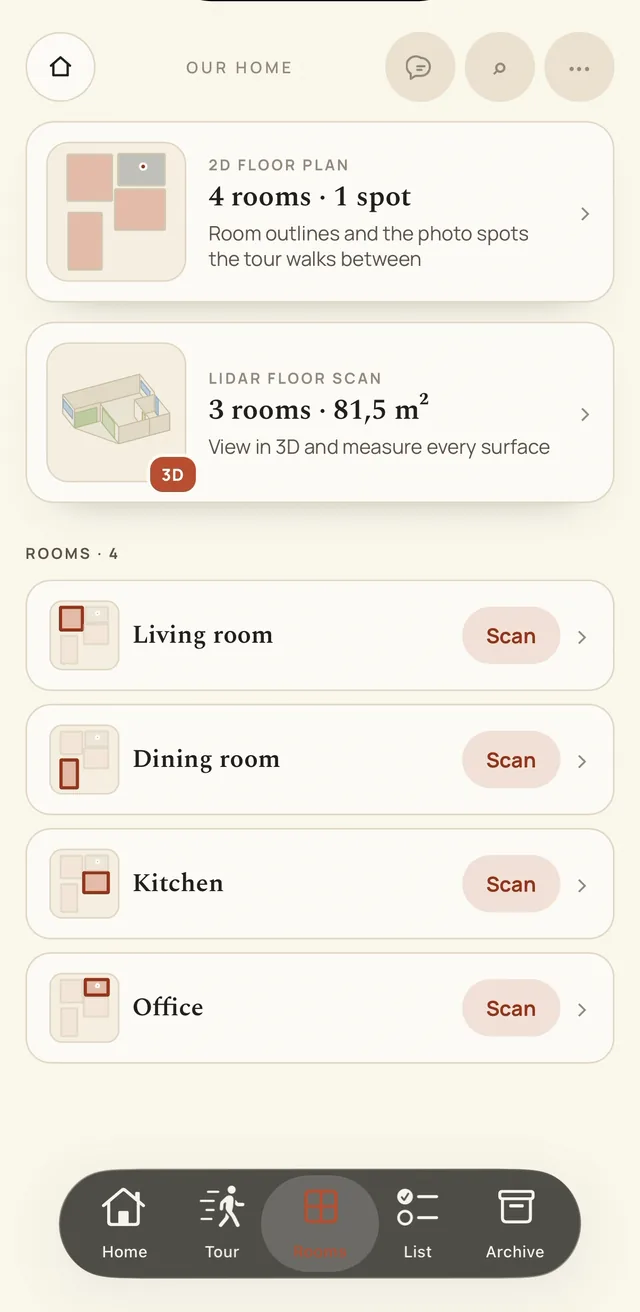
The floor plan, the LiDAR scan and every room, one tap away.
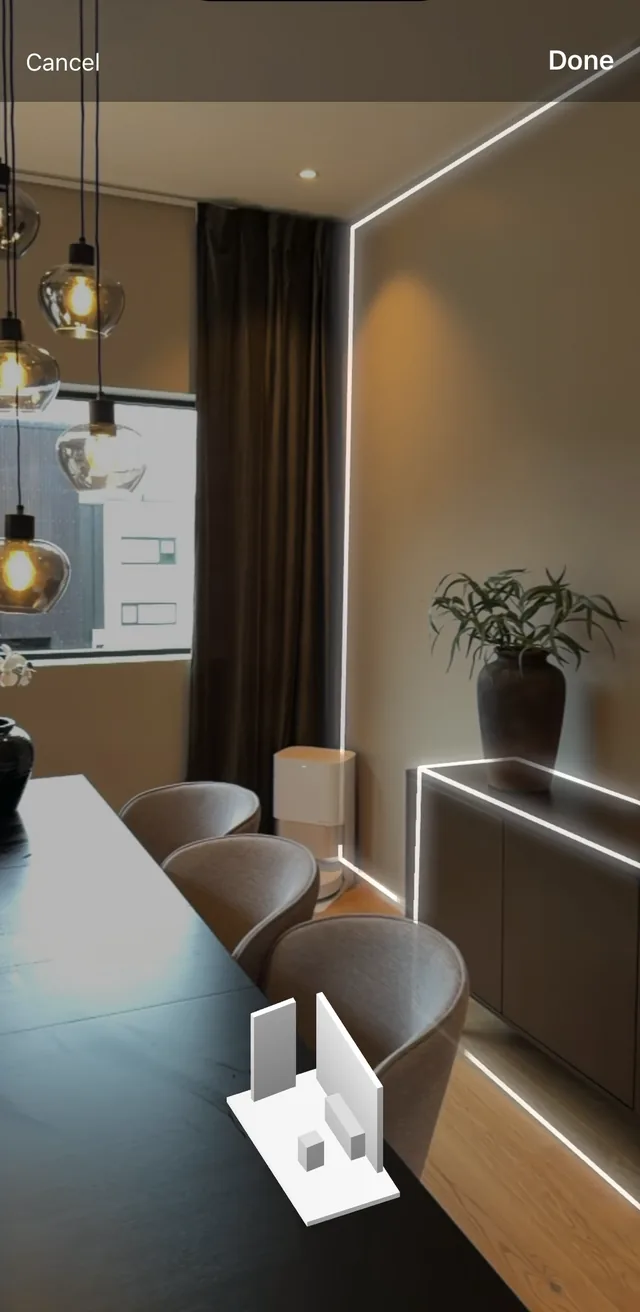
Walk through it and the walls, doors, windows and furniture are picked up as you go. Scanning needs a LiDAR-capable iPhone or iPad.
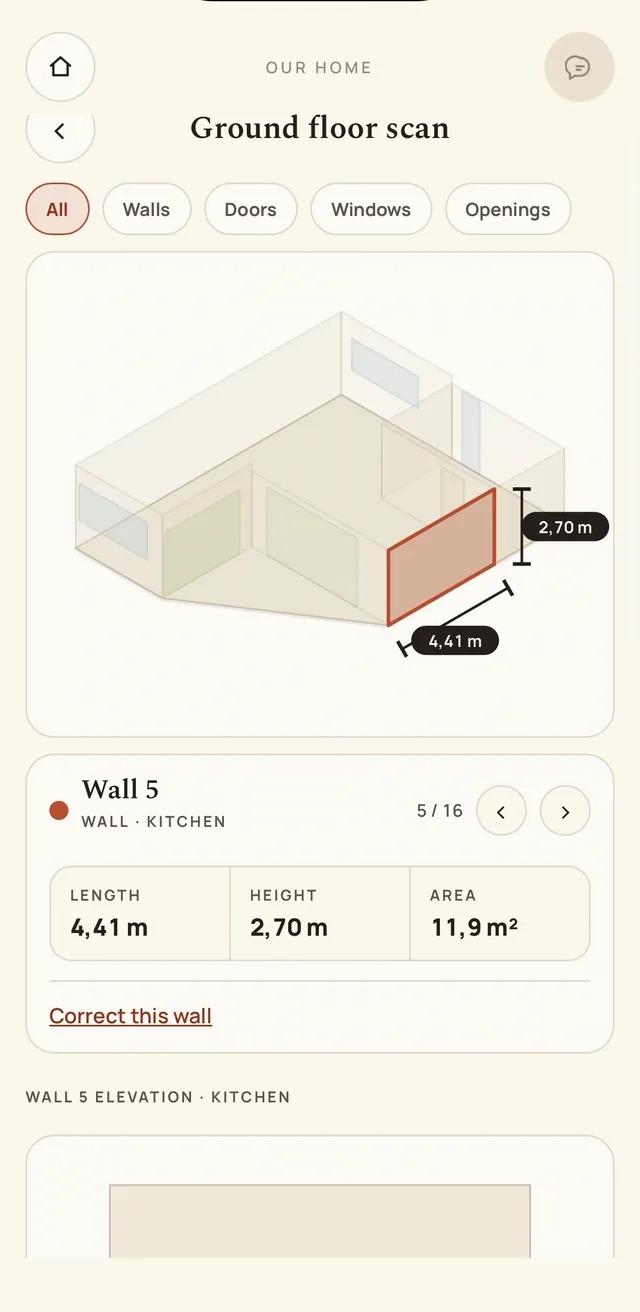
Tap a wall, door or window for its exact size, straight from the scan.
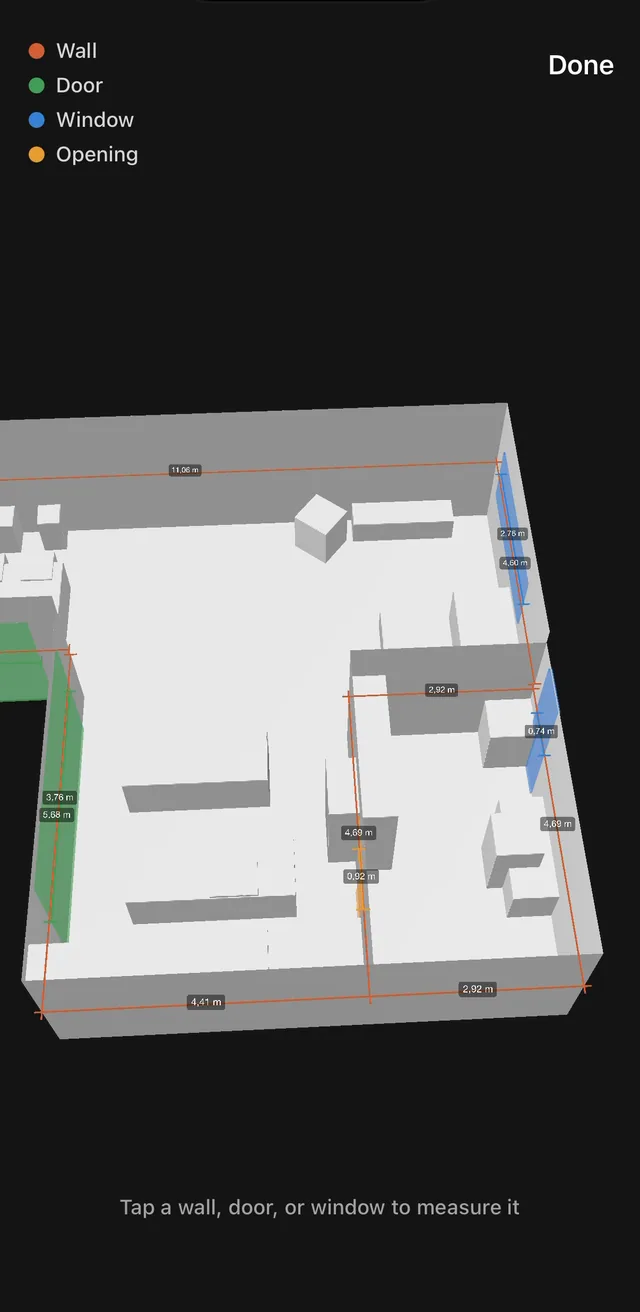
Turn the floor around and measure any surface on it.
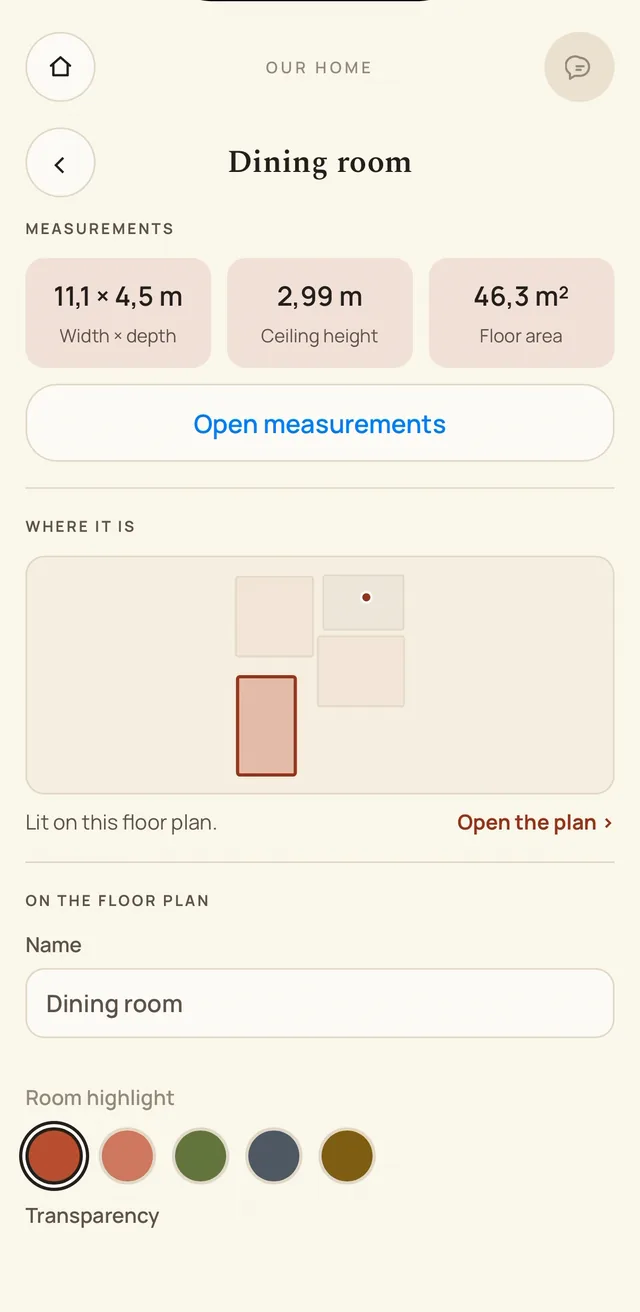
Its size, where it is on the plan, and the colour it gets on the map.
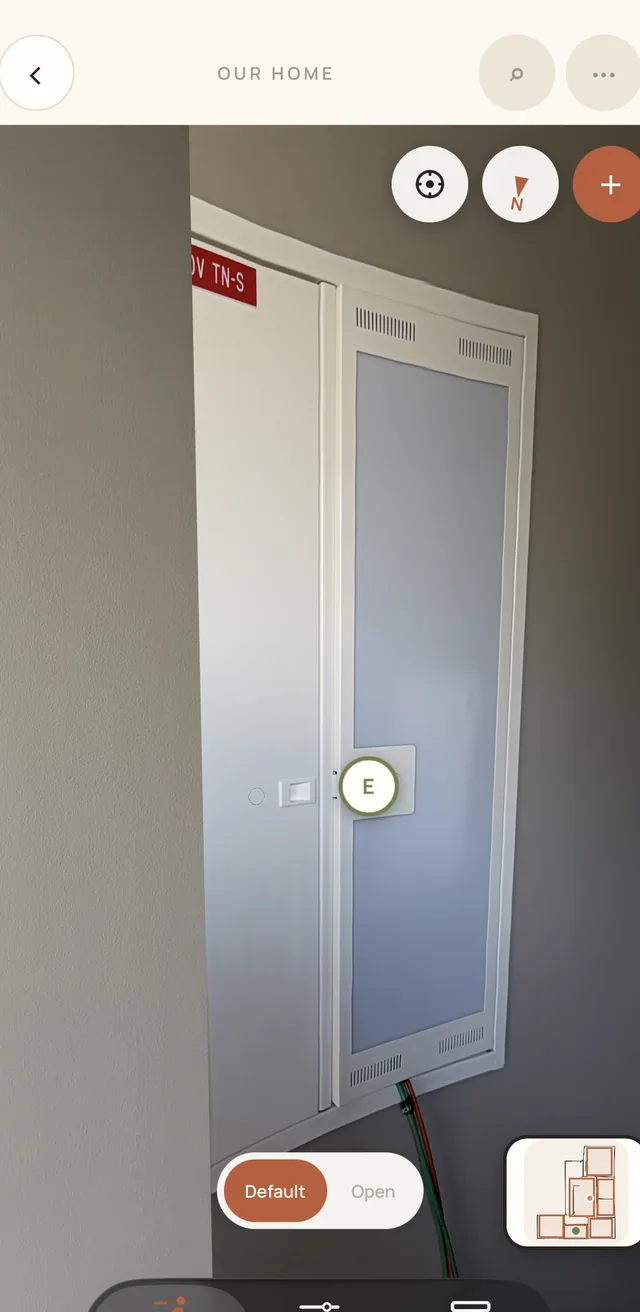
Drag to look around each spot. Pins mark the details worth knowing.
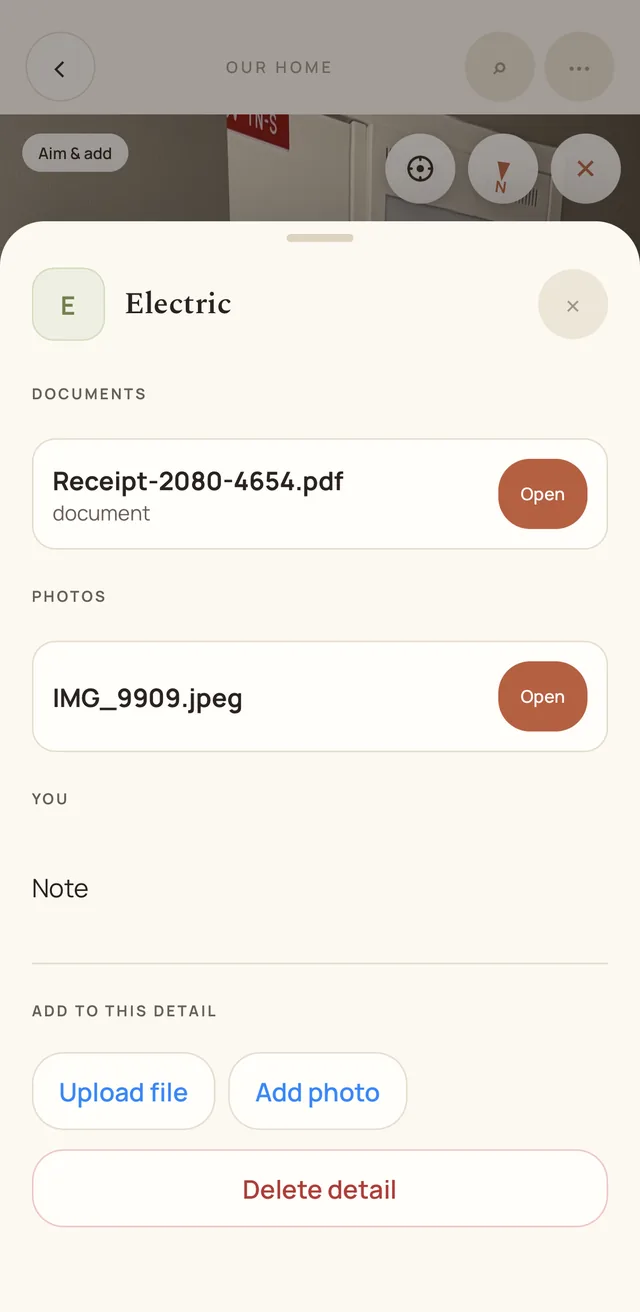
The fuse box carries its own receipt and photo. So does the oven, and the boiler.
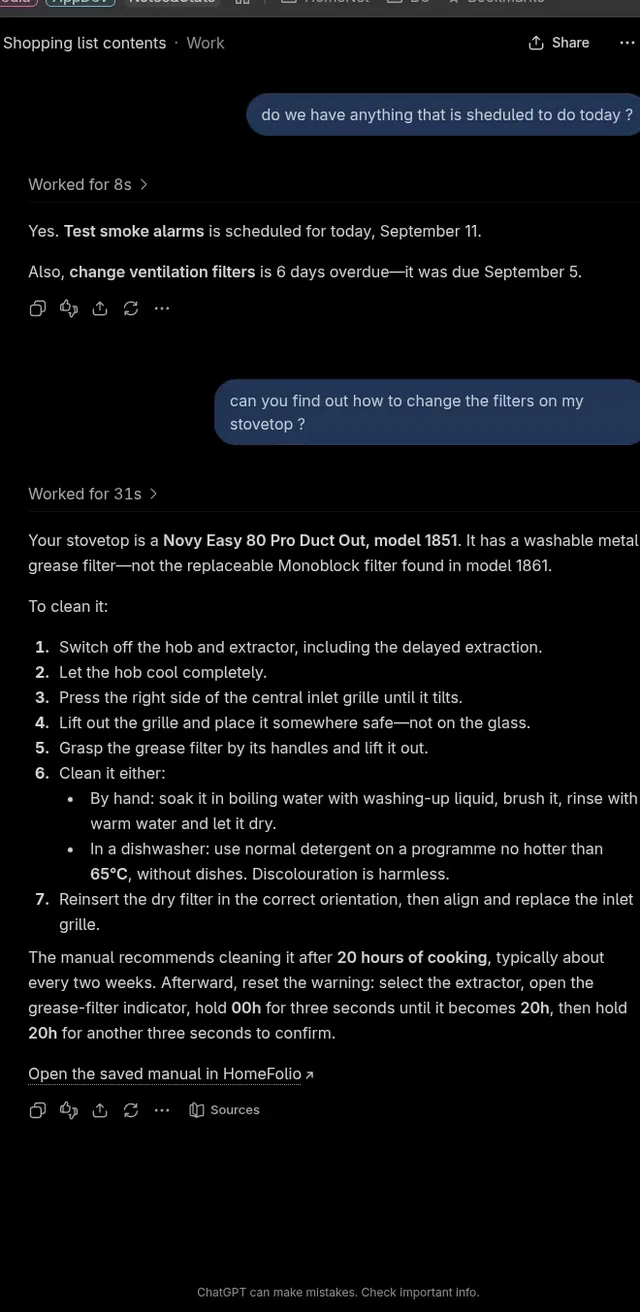
Connect ChatGPT or Claude to your home and ask what is due this week, or how to change a filter.
Walk through
Stand in the hallway, turn to the fuse box, tap the pin on its door: the receipt and the electrician’s number are there. Arrows move you from room to room, the way a virtual tour does.
A second layer holds the same spot at another time — the cabinet open, the wall before it was closed up — and a pin can be placed from the tour itself or later, from the archive.
Find it
One list holds every item, document, photo, video and panorama in the home. Type a word and whatever was written about it comes up: the thing itself, its manual, the report from the last visit, the number of whoever did the work.
It finds the things you have not placed anywhere yet, too, so a manual can be filed the day it arrives and pinned to its spot whenever you next walk past.
Together
Whoever adds to a shopping list, the others have it in their pocket at once, with a note of who added what. And when the chimney sweep or the boiler service is a week away, every phone in the home hears about it, and again on the day.
The list remembers what you buy, so what you buy every week is one tap away. Invite the household as owner, editor or viewer, and choose which of these each phone is told about.
Keep it up
Chimney, filters, gutters, the boiler: each with its own interval, sorted by what is due. Log a visit with the invoice or the report that came back, and the next date moves on by itself.
A reminder goes to every phone in the home a week before it is due, and again on the day.
With your assistant
HomeFolio speaks the Model Context Protocol. Connect an assistant by signing in, choose what it may read and what it may change, and it can look things up in the manuals you filed, say what upkeep is due, and add to the shopping list.
Hand your assistant a recipe and ask for the ingredients on the list. It adds them one at a time, and the household is told once, in the assistant’s own name — so nobody wonders who added semolina.
Ask when something was last serviced, or what a code on its display means. The answer comes from the record and from the manual you filed, and the link it gives you opens that manual in HomeFolio, signed in, on your phone.
Every connection is listed in Settings, with what it may do and when it was last used, and can be disconnected there.
What it does
Paperwork about a house is scattered across drawers, inboxes and someone’s memory. HomeFolio keeps it against the room, wall or appliance it describes.
Take a 360° photo at each spot in the house and drag to look around it. Arrows and the map move you from room to room, the way a virtual tour does.
Draw your rooms, or scan a floor with LiDAR to get measurements and a 3D model. Tap a room to step into it. Scanning needs a LiDAR-capable iPhone or iPad.
Attach a photo, note, manual, receipt, link, or a tradesperson’s number to the exact point it belongs to — the boiler, the fuse box, the oven.
Keep the servicing schedule in one place — chimney, filters, gutters — with the history, receipts and reports of every visit, and a reminder before the next one is due.
One list holds every document, photo, video and panorama in the home, filterable and searchable — including the things you have not placed anywhere yet.
Invite the people who live there as owner, editor or viewer, keep a shared shopping list, and hand the whole record over if you ever sell.
How it works
Create an account, name the home, and add a floor. That is the whole setup.
Sketch the rooms on the floor plan, mark where you stood, and upload a 360° photo or a walkthrough video for each spot.
Tap any point in a photo and attach the manual, the paint code, the warranty, or the electrician’s number — so it is found where it is used.
A single 360° photo and one pinned manual is already more than most houses have written down. Add the rest as you go.
Or get the app